Tutorials are the best thing to learn any software. So here we bring latest 40 Awesome Adobe Photoshop
Tutorials released in 2013. Checkout more Tutorials after the jump.
Water Reflections using Displace Filter
Mini Tutorial- Enhancing Eyes with Dodge and Burn
Snow, Ice and Overpainting
Fire!
Message in a Bottle-Working with Glass
Silhouette
Dragon
Knotting a nail
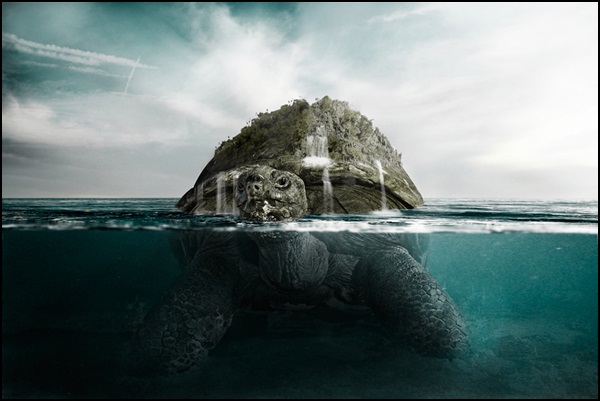
Partial Submersion
Landscape Building
Lighting
Lighting a Giant Swan
Turn a banana into a lighthouse
How i created Honey Frog
Ruining Big Ben
The Underwater Corroded Look
Create Fan Art for Mortal Kombat’s “Liu Kang” in Photoshop
Roses Bouquet Splash Effect
Man of Steel Symbol in Illustrator and Photoshop
Photoshop tutorial: Create a glowing superhero
Create a Unique Stone and Fire Text Effect in Photoshop
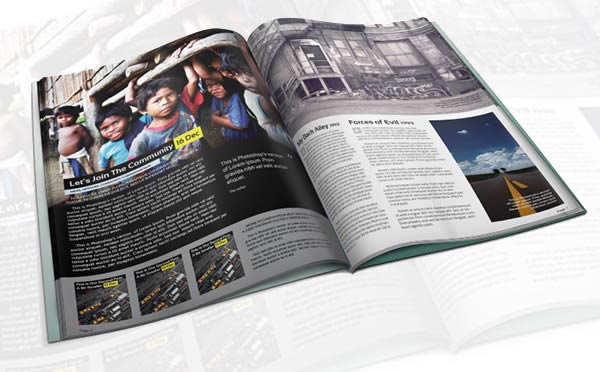
Create a Magazine Mockup Using InDesign and Photoshop
Create a Gingerbread Cookie Scene Using Smart Objects
How to Paint a Furry Cartoon Character in Photoshop
How to Draw a Camcorder Icon From Scratch in Photoshop
Create Biologically Viable Alien Concept Art in Photoshop
Create a Knitted Argyle Text Effect Using Filter Forge and Photoshop
Create a digital collage from hand-drawn elements
Adobe Illustrator & Photoshop tutorial: Design amazing mosaic effects
Create an Emotional Dreamscape Digital Photo Manipulation
Create This Incredible Surreal Photo Manipulation of a Dancer in Photoshop
Photoshop tutorial: Paint a multilayered surreal portrait
Create a Raw Horror Movie Poster Design in Photoshop
“The Controller” – Create this Floating Superhero Scene with Sci-Fi Lighting Effects in Photoshop
How To Create a Cosmic Abstract Shards Poster Design
Quick Tip: How to Draw Realistic Eyes in Photoshop
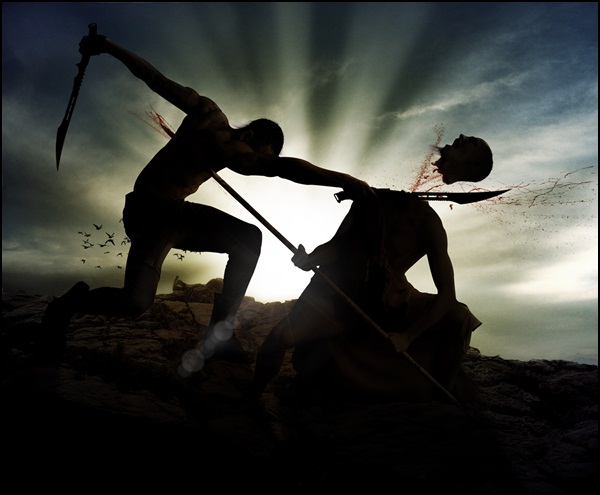
Create a Battlefield Scene Using Stock Photography in Photoshop
How to Create an Epic Portal Scene in Photoshop
Send in the Clowns
Frequently Asked Questions
How long does it take to learn Photoshop with tutorials like these?
Most learners grasp the fundamentals — layers, selections, masks, and basic retouching — within a few weeks to a few months of regular practice. How deep you go matters: simple text effects come quickly, while photo manipulation and digital painting take considerably longer. Practicing alongside the tutorials, rather than just watching them, is what builds real skill.
Are these tutorials suitable for complete beginners?
The collection mixes levels. Beginners will have the easiest time starting with the shorter text-effect and retouching tutorials, which teach core concepts like layers and layer styles. Full photo manipulations and digital paintings assume you already know your way around the interface, so if you are brand new, work through Adobe's official beginner guides first.
Will tutorials from 2013 still work in current versions of Photoshop?
Mostly yes. The core techniques covered here — layer styles, masks, displacement maps, blending modes, and smart objects — are long-standing Photoshop features that still work the same way. A few menu locations and tool names have changed over the years, so you may occasionally need to search for the modern equivalent of a command, but the underlying methods remain valid.
Are these Photoshop tutorials free, and what else do I need to follow along?
Yes, the tutorials linked in this roundup are free to view on the creators' websites. To follow along you will need a copy of Photoshop and, for the photo manipulation pieces, stock photos — your own, or free images provided by the tutorial site. Some tutorials also mention extra brushes or textures, which are usually free downloads from the same page.










5 Comments
An excellent collection
ReplyDeletethanku
DeleteThank you very much!Really awesome tutorials!
ReplyDeleteyou welcome ;)
Deletec'est très beaux à voir j'aimerais bien m'apprendre
ReplyDelete