

- CSS3 Tutorials And Tools That Will Make You Master
- CSS3 Tools For Designers
- CSS Tutorials And Techniques
Interactive Infographic with SVG and CSS Animations

Creative CSS3 Animation Menus

CSS3 Animations for Image Transitions

3D Thumbnail Hover Effects

Page Transitions
Animated 3D Bar Chart with CSS3

Animated Buttons with CSS3

Animated Profile Popover

Build a portfolio with CSS3 transitions

Animated 3D Bar Chart with CSS3

Create a page turn effect

Create a unique contact form with css3 transitions

Create Bounce Effect with CSS3 Animation

Dynamic Grid with Transitions

Expanding Overlay Effect

Fancy Image Gallery with CSS Transitions

Fullscreen Layout with Page Transitions

Fullscreen Pageflip Layout
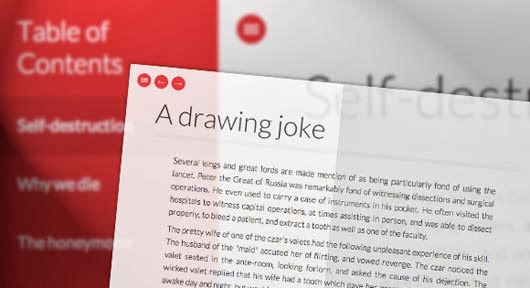
More efficient CSS3 transitions

Nifty Modal Window Effects

Pseudo-Elements Animations and Transitions

Simple YouTube Menu Effect

Text Opening Sequence with CSS Animations

Understanding the CSS Clip Property
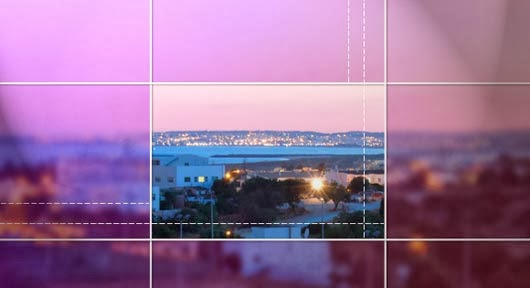
Simple Icon Hover Effects

Frequently Asked Questions
What is the difference between a CSS transition and a CSS animation?
A transition animates a property from one value to another — like a hover color change — and needs a trigger such as hover or a class change. An animation uses @keyframes to define multiple steps, can loop on its own, and runs without user interaction. Use transitions for simple state changes and animations for multi-step or looping motion.
Which CSS properties are best to animate for smooth performance?
Animate transform and opacity: browsers handle them efficiently without expensive layout recalculations. Animating width, height, top, or left forces the page to reflow and can make motion feel janky, especially on phones.
How long should a CSS transition last?
Most interface transitions feel best between 200 and 500 milliseconds — fast enough to feel responsive, slow enough to be noticed. Micro-interactions like hover states work at the short end, while larger reveals and page transitions can run a little longer.
Do CSS animations work in all browsers?
The standard syntax is supported by all modern browsers. Very old browsers needed vendor prefixes like -webkit-, and some legacy versions did not support animations at all. If you still support those, provide a usable static fallback instead of relying on the motion.



2 Comments
Outstanding photos collection here. I am so wonder after visit your photos collection. A big thanks for sharing with us !!
ReplyDeletethanks mate
Delete